iOS 27 Launch Cheat Sheet! iOS 27 Release Date / Siri AI New Features / Supported Devices / Beta Download Guide
Tim Tim
Oct 23, 2026
閱讀 時間:
3 分鐘 53 秒
iOS 27 was officially unveiled by Apple at WWDC 2026! The highlight is the all-new Siri AI powered by the latest Apple Intelligence, along with deeper integrations and useful enhancements. Here's a complete summary to help you catch up quickly (information compiled from YOHO and official reports—details subject to Apple's final announcements).
iOS 27 Release Timeline
WWDC 2026 Announcement: June 8, 2026 (Hong Kong time: early morning June 9).
Developer Beta: Already available for download.
Public Beta: Expected in July 2026.
Official Release: Fall 2026 (likely September), launching alongside the new iPhone series.
Regular users are advised to wait for the Public Beta or final version to avoid potential bugs in early betas.
iOS 27 Key New Features (Biggest Highlight: All-New Siri AI)
Apple is integrating its AI foundation models with Google Gemini to power the next-generation Apple Intelligence framework in iOS 27.
Feature 1: All-New Siri AI
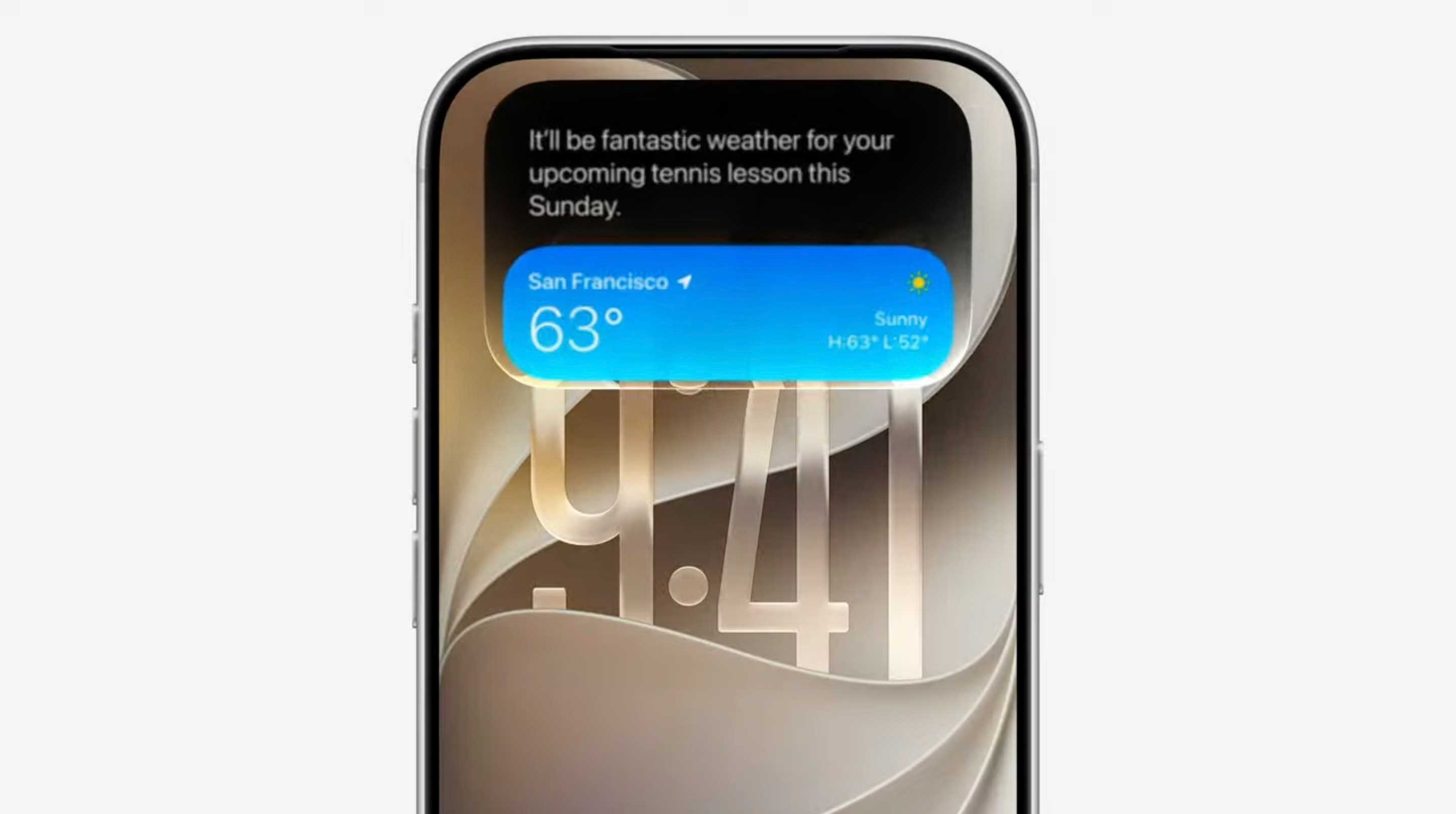
Search or Ask: In addition to “Hey Siri,” you can now swipe down on the Dynamic Island to summon Siri AI for questions or searches.
Dedicated Siri App: A brand-new standalone app lets you review conversation history, start new chats, and continue conversations seamlessly across iPhone, iPad, Apple Watch, and more.
Deep Integration & Cross-App Actions: Siri AI understands personal context and can search across Messages, Mail, Photos, etc., while performing tasks like drafting emails.
Visual Intelligence: Integrated into the Camera app (iPhone), screenshots (iPad/Mac), and a new “Siri Mode.” Snap a photo or screenshot to analyze objects in view (e.g., get nutrition info for food).
Writing Tools & Improved Dictation: Natural language proofreading, mimic your writing style, and enhanced dictation accuracy.
Language Support: Initially available only for devices set to English; more languages coming soon.
Feature 2: Apple Intelligence Updates
Photo Editing: New spatial reframing, Extend tool, enhanced Clean Up, and more AI-powered editing options.
Image Playground: More powerful image generation capabilities.
Safari Enhancements: Auto-group tabs by topic; “Notify Me” feature alerts you to price changes or restocks.
Passwords App: Alerts for weak or breached passwords.
Other Notable Features
Liquid Glass Interface: Refined transparency for clearer app icons with customizable opacity.
Child Safety Tools: “Ask to Browse” for web pages, instant warnings for violent/ explicit content, and better management of entertainment, gaming, and social media time.
Full-Resolution iCloud Shared Albums: Cross-platform sharing with original quality.
Health App: Expanded period tracking to perimenopause and menopause with symptom prompts (fatigue, hot flashes, mood changes, etc.).
AirPods: Custom equalizer for personalized bass, mid, and treble adjustments.
iOS 27 Supported Devices
iOS 27 offers broad compatibility:
iPhone 17 series (including iPhone Air)
iPhone 16 series
iPhone 15 series
iPhone 14 series
iPhone 13 series
iPhone 12 series
iPhone 11 series
iPhone SE (2nd generation and later)
Important Note: Siri AI and full Apple Intelligence features are limited to iPhone 15 Pro / 15 Pro Max, iPhone 16 series, and newer models. Older devices get basic iOS 27 updates but not the advanced AI capabilities.
Install the profile on your iPhone, then go to Settings > General > Software Update to check for the update.
Note: Siri AI in the Beta may become available later.
Public Beta (Recommended for Most Users)
Go to beta.apple.com and join the Apple Beta Software Program.
Sign in with your Apple ID and select iOS 27 Public Beta.
Download and install the profile, then check for updates in Settings.
Before Updating:
Back up your iPhone (via iCloud or computer).
Use a secondary device for testing.
Ensure you're on Wi-Fi with sufficient battery.
iOS 27 makes Siri significantly smarter and more practical
Why choose LHK Express for safer and more secure shipping?
From August 2022, LHK Express will launch the "Customs Clearance Guarantee" program. Our risk control team will conduct risk assessment and analysis for each package to ensure that each package reaches 99.9% smooth customs clearance. The cost of this program Included in shipping, no extra charge.
Provide more accurate timeliness for your package!
Tax Hedging:
LHK Express provides multiple customs clearance & tax included services! Even if the tax is not included, we will diligently make risk warnings in advance to avoid the recipient paying high taxes!
100% Electronic Platform:
No documents!! No worries about printing documents and labels!! Regardless of the recipient or sender, no customs declaration is required!!
Packaging Management:
Avoid delays and package damage!! Make sure your package arrives safely!!